
环境背景
- IDE 版本:μVision V5.43.1.0
- ToolChain:Keil MDK Community (non-commercial free of charge) Version: 5.43.0.0
- 目标工具链:Arm Compiler 5.06 update 7 (Legacy)
问题描述
安装完 Arm Compiler 5.06 update 7,在 Project -> Manage -> Project Items... -> Folders/Extensions -> Use ARM Compiler 中添加路径后,Build 报错:
Rebuild started: Project: adc_test
*** Warning: The configured compiler version '5.06 update 7 (build 960)' does not support the selected User Based Licensing technology.
*** Using Compiler 'V5.06 update 7 (build 960)', folder: 'S:\ARM_Compiler_5.06u7\Bin'
Rebuild target 'Target 1'
compiling stm32f10x_adc.c...
Error: C9555E: Failed to check out a license. The license file could not be found.
Check that ARMLMD_LICENSE_FILE is set correctly.
ARMLMD_LICENSE_FILE is not set.
You must set this to the path to your license.
...
原因
Arm Compiler 5.06 update 7 的安装位置存在问题。单独下载的 AC5 编译器需要放在 Keil MDK 安装目录的 ARM 子目录下,否则 License 机制无法正常工作。
官方要求必须放在 Keil MDK 安装目录下的 ARM 目录下(我这边是 S:\Keil_v5\Core\ARM,可以发现,里面有个目录叫 ARMCLANG,这个就是默认的 ArmCC(Arm C Compiler) Path,你可以在设置 Use ARM Compiler 时看到默认配置里有它)
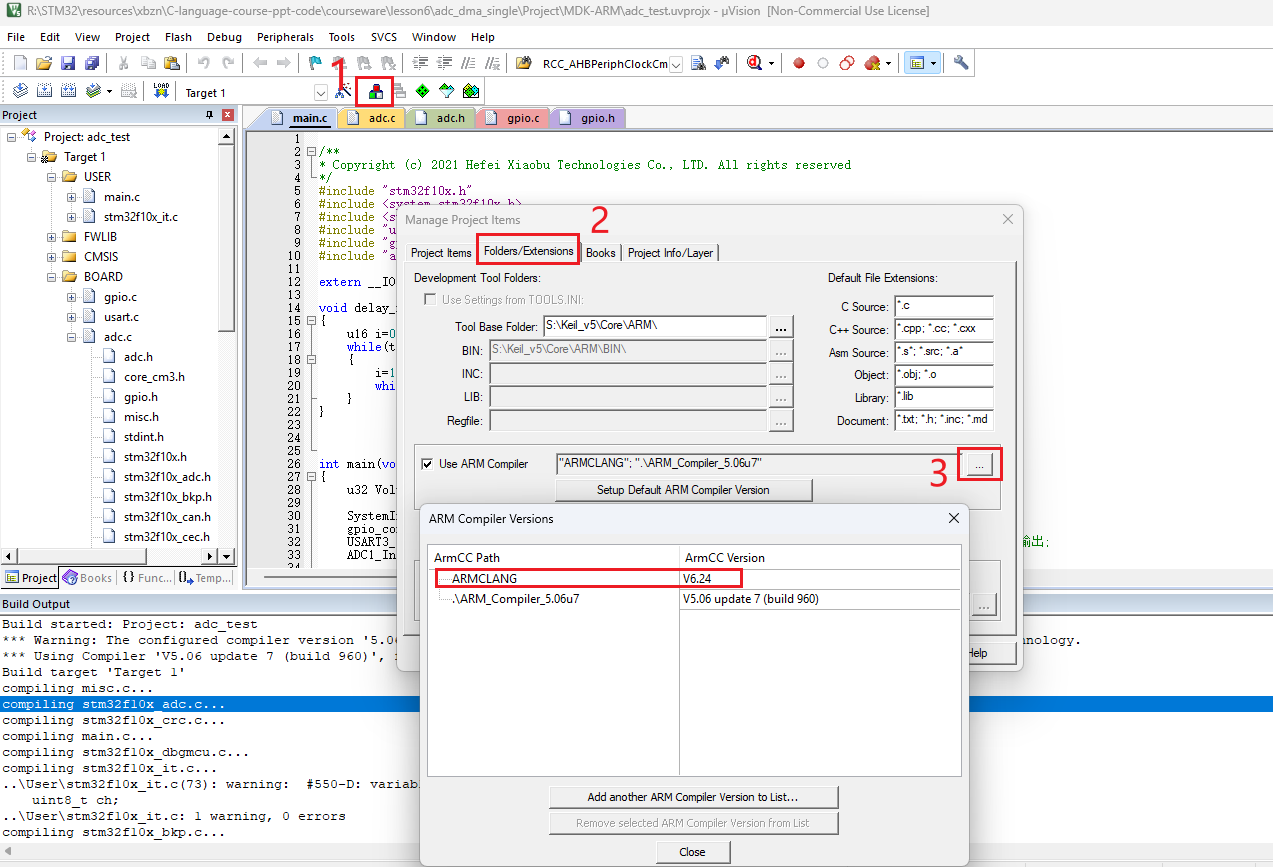
原理解析:Keil MDK 的社区版或专业版授权通常与 IDE 绑定。当 AC5 放在 MDK 的
ARM子目录下时,编译器会自动调用 MDK 自身的 License 机制(集成模式);若放在外部目录,它会尝试查找独立的 FlexNet 环境变量,从而导致报错。
排查过程复现
- 直接把报错抛给 AI
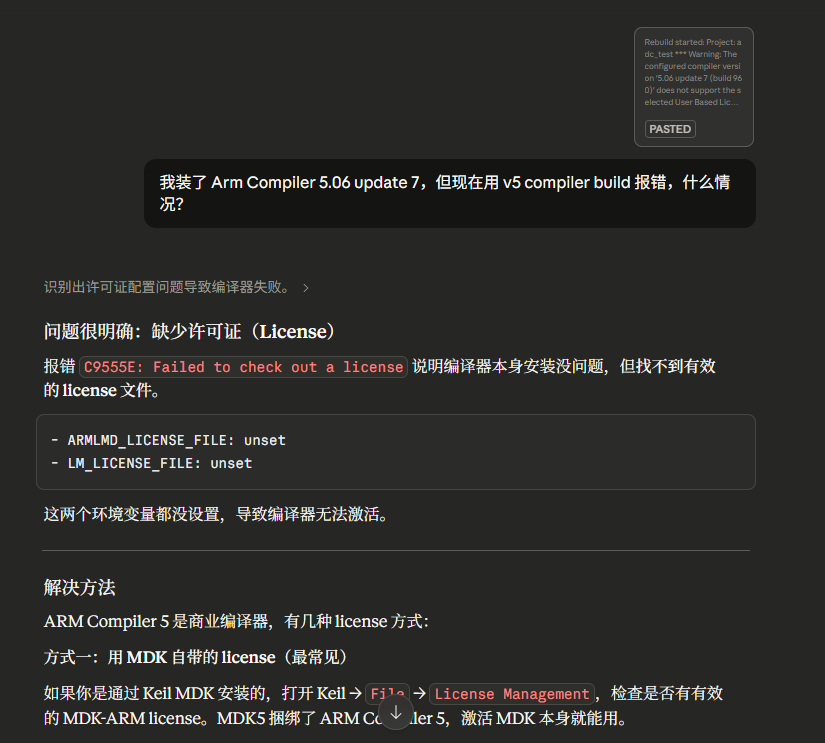
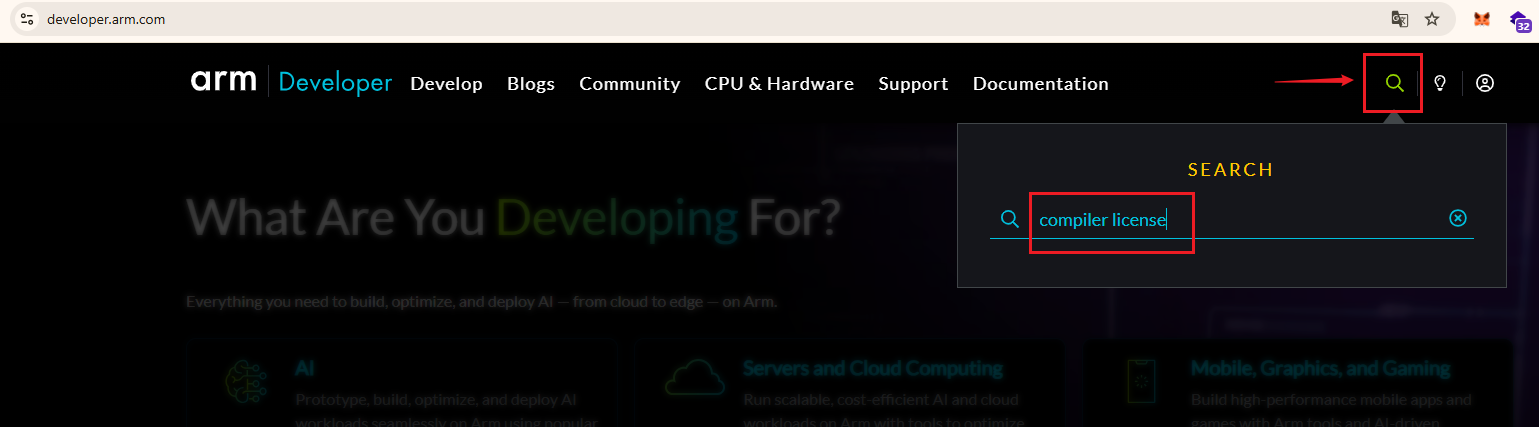
- 再根据 AI 的回答,核对一下报错信息,确认是 license 的问题,又因为涉及的是 compiler,所以尝试在 Arm 的开发者网站 搜索关键字:“compiler license”:
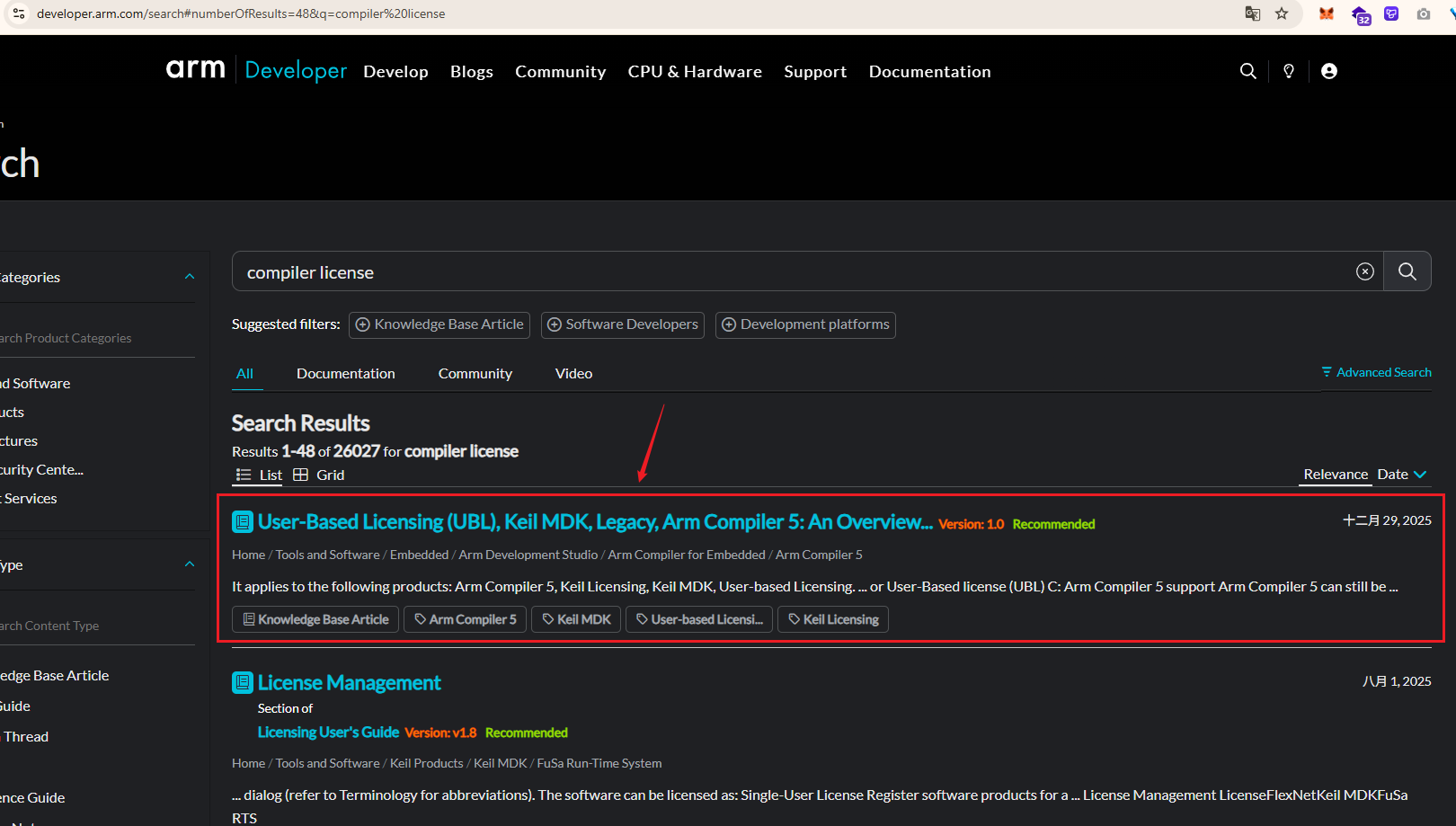
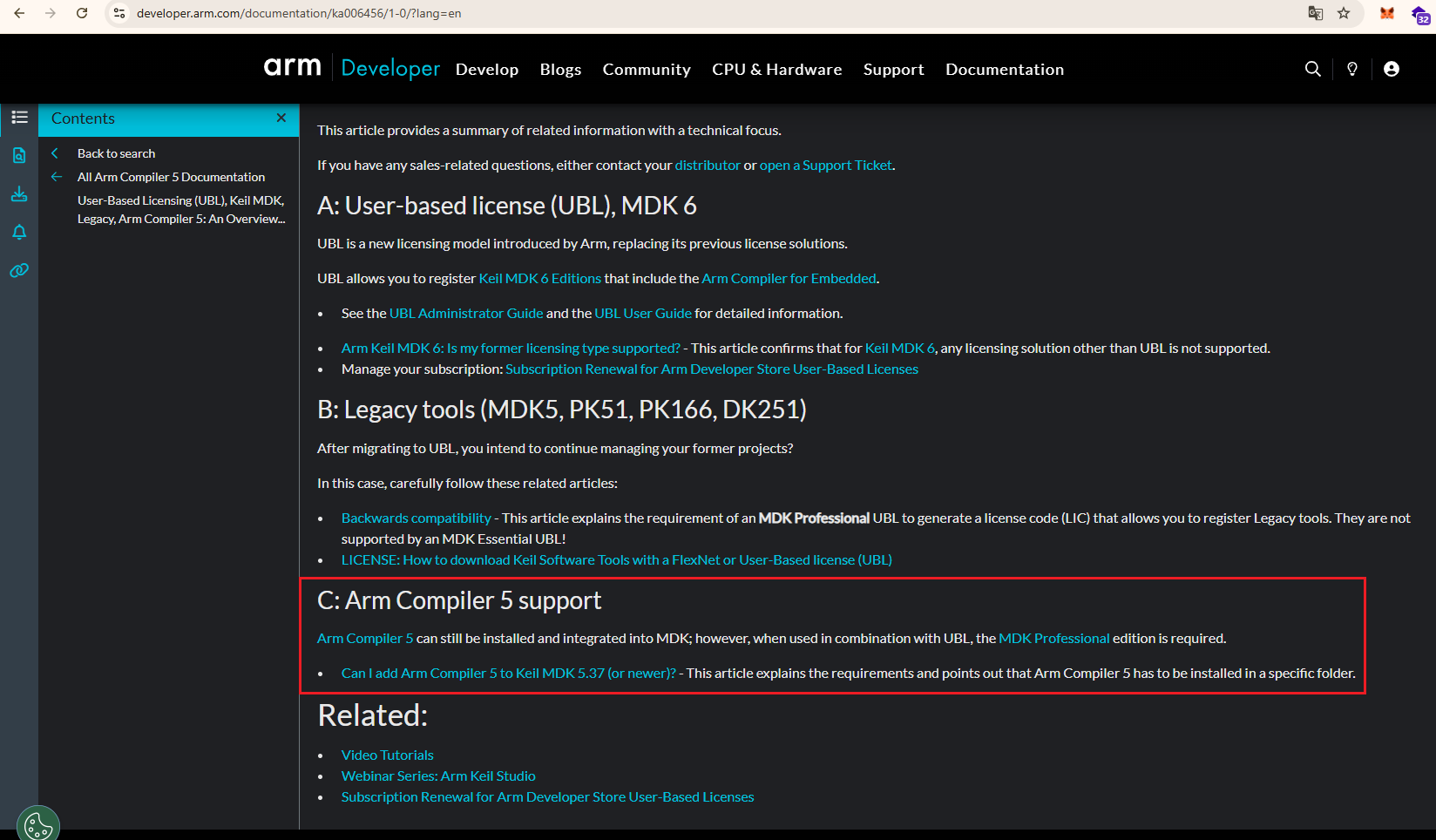
- 查询结果的第一条,标题里有 User-Based Licensing、Arm Compiler 5 等关键词,点击去看下。在该页面的下方找到了关于 Arm Compiler 5 的说明:
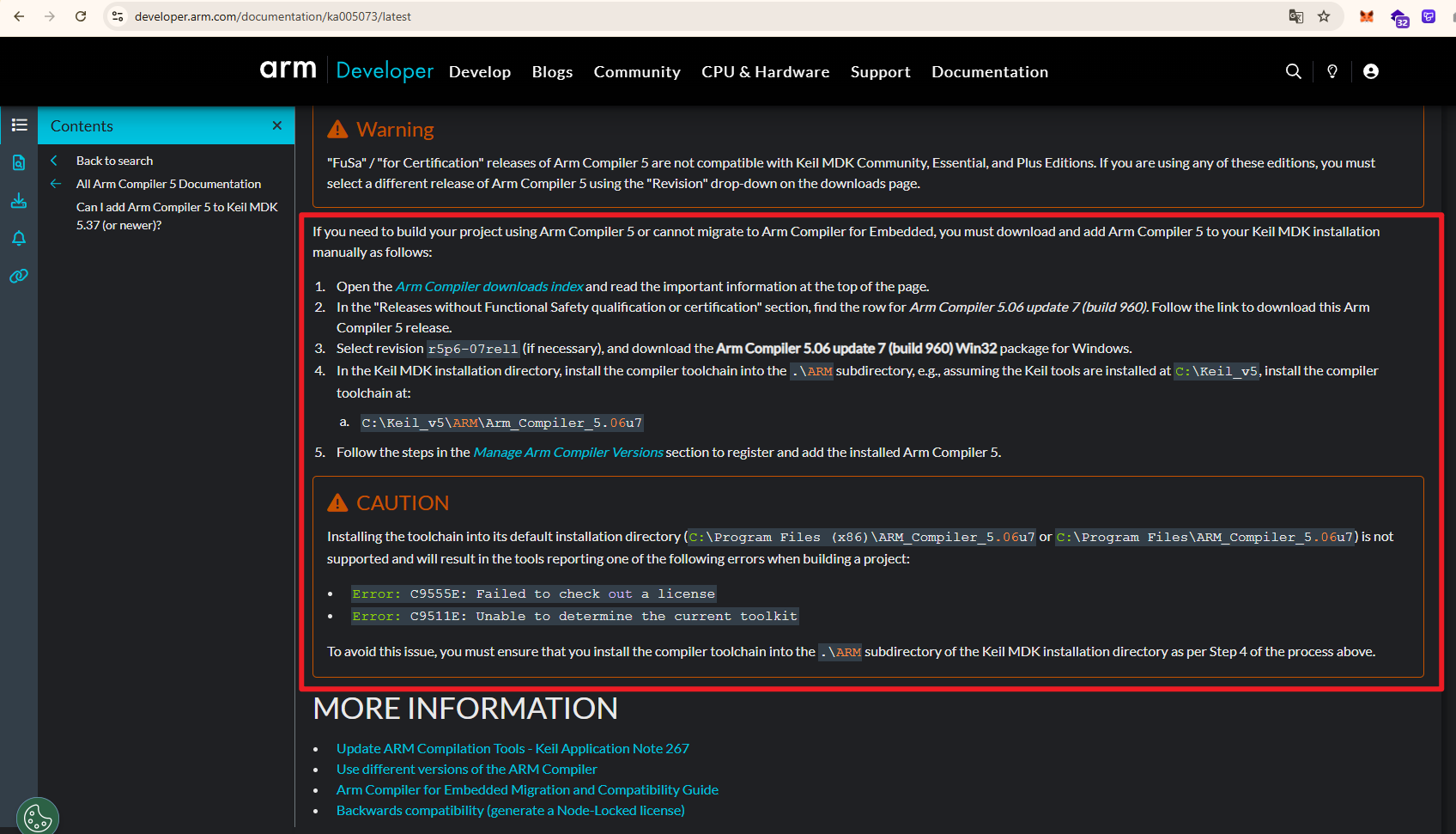
- 继续点击 “Can I add Arm Compiler 5 to Keil MDK 5.37 (or newer)?” 这个链接进行查阅,在这个链接页面中找到了和我们遇到的错误相关的说明:
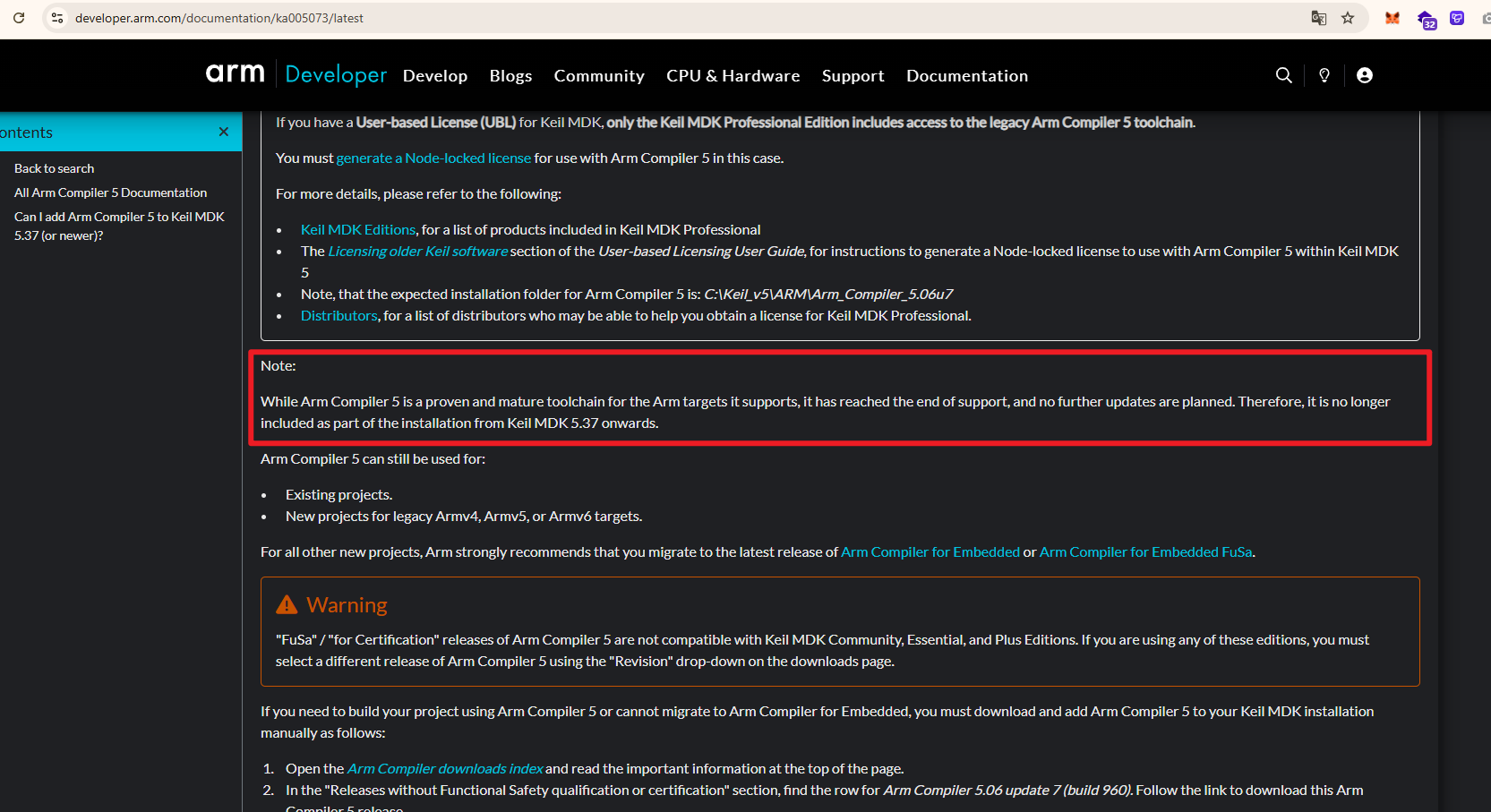
文档里还有一段话,是说 Arm Compiler 5 已停止更新,从 Keil MDK 5.37 版本开始,它将不再包含在安装包中:
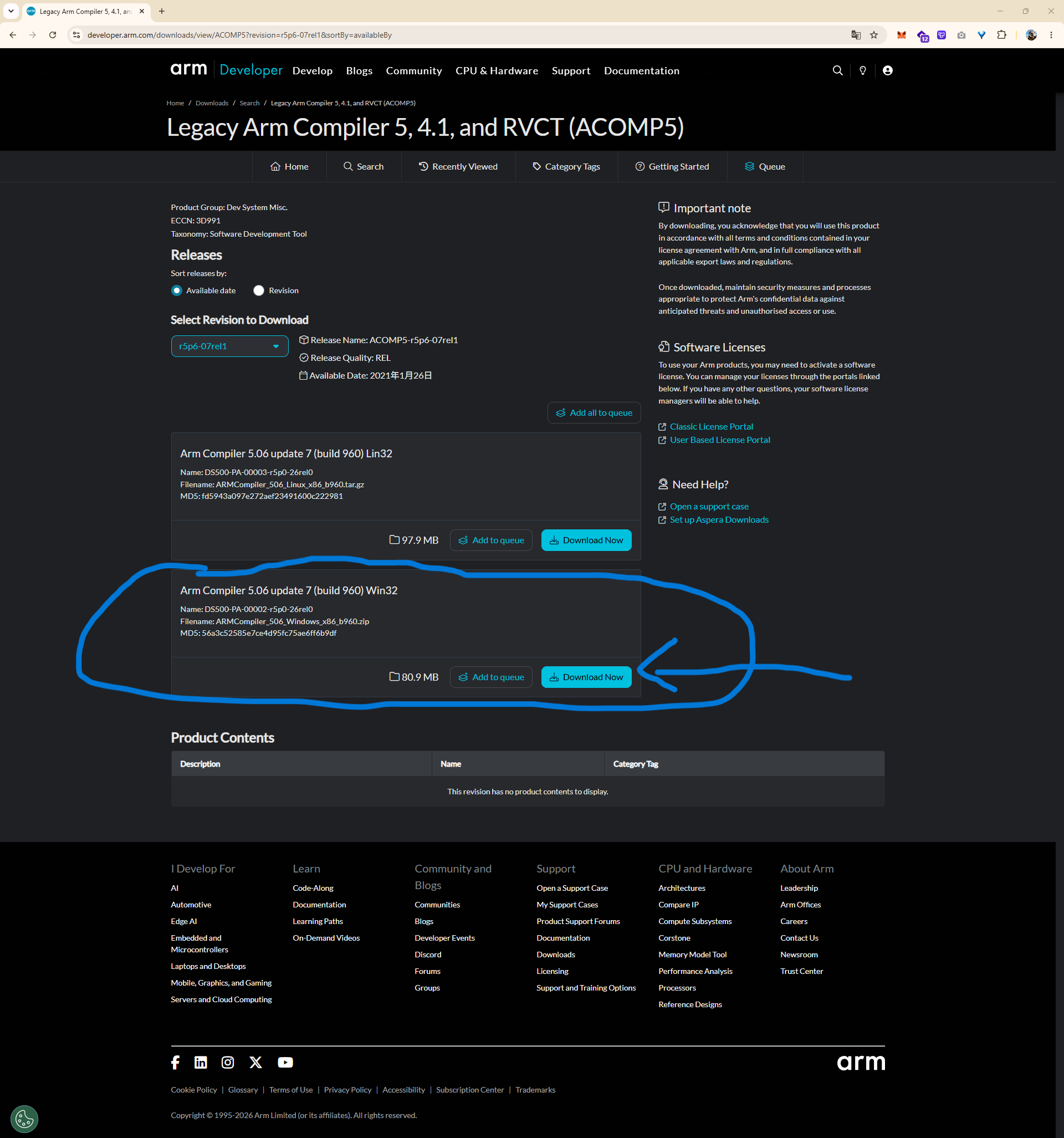
所以我们如果想用,需要单独下载 v5 的编译器:
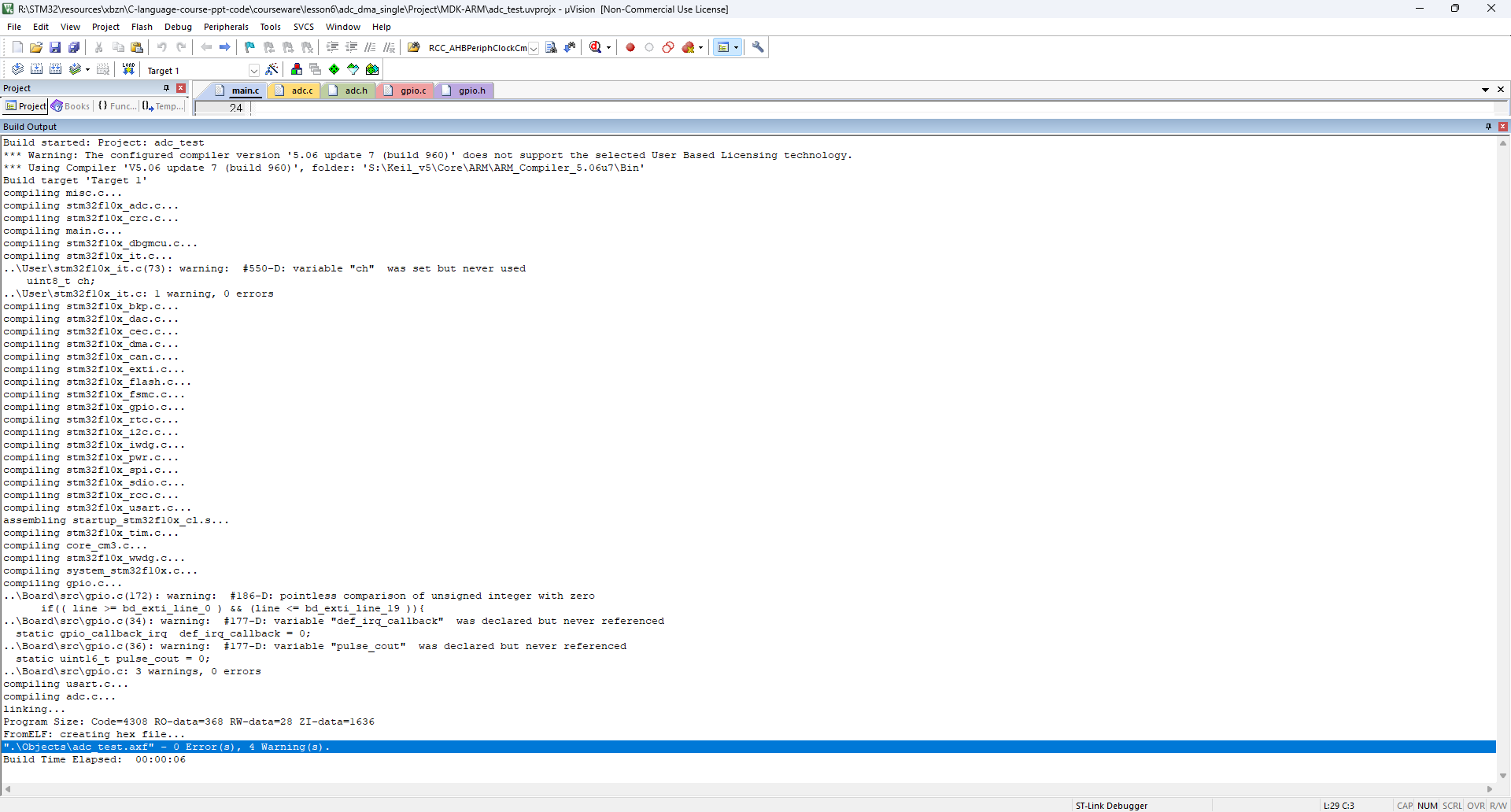
- 按照这里官方的说明,进行操作,将 AC5 文件夹移动/复制到 S:\Keil_v5\Core\ARM\ 目录下,再重新在 Manage→Folders/Extensions 里 Add 该路径,即可解决我们遇到的这个 Build 报错问题,最终成功 build 项目(Build 输出 0 Error):
解决方案
- 按照官方支持文档说明,将下载的 AC5 文件夹移动/复制到
[MDK安装目录]\ARM\下(例如S:\Keil_v5\Core\ARM\ARMCC,或者同级目录)。 - 重新在 Manage -> Folders/Extensions 里 Add 该新路径。
- 注意:在
Manage Project Items中重新 Add 路径后,记得在 Project -> Options for Target -> Target 选项卡中,通过下拉列表再次勾选新路径下的Use Arm Compiler 5,以确保工程真正引用了新位置的编译器。
总结 Wiki
| 维度 | 内容 |
|---|---|
| 问题描述 | MDK 5.37+ 环境下,外置安装的 AC5 报错 Error: C9555E: Failed to check out a license。 |
| 关键报错 | ARMLMD_LICENSE_FILE is not set / does not support the selected User Based Licensing. |
| 解决方案 | 移动路径法。将 AC5 文件夹移至 [MDK安装目录]\ARM\ 下。 |
| 官方支持 | 参考 Arm 官方文档 Can I add Arm Compiler… |
个人反思
遇到问题时,应养成习惯:先找官方出处,再看别人的解法。即使别人提供了开箱即用的整合包,了解其背后的官方依据和文档出处也能让我们知其然更知其所以然。